

This feature is in beta. Reach out to your account manager to have it
enabled for your Cube Cloud deployment.
Use case
You want each user’s queries to run under their own database identity using OAuth tokens managed by Cube Cloud. When a user’s token is unavailable or expired, Cube falls back to a service account so that connectivity checks and background operations still work. This pattern applies to any data source that supports OAuth, including Databricks and Snowflake. The examples below use Databricks; switch theuserCredentials key and
driver options for any other OAuth-capable data source.
Because every user connects with different credentials, you also need
per-user query orchestrator state. Without this, one user’s cached
connection could leak to another.
Rebuilding the connection needs a Cube version that supports it. If a rotated
token is only picked up when you redeploy, yours predates it: the connection
resolved by the first request is kept until the deployment restarts.On those versions, putting the credential’s expiry in the orchestrator ID
is the only way to pick up a rotation without restarting — at the cost of a
fresh orchestrator per rotation. Add a coarse clock to it once that expiry has
passed, for example
int(time.time() // 300), because a credential whose
refresh is failing upstream stops rotating altogether: an ID that changes only
with the credential would pin the dead connection for as long as the process
runs.Return the resolved credential from
driver_factory, not a function that
fetches one. Cube compares the configuration values the factory returns,
and a function compares as unchanged however the credential behind it
rotates — the connection would never be rebuilt.Prerequisites
- A Cube Cloud deployment connected to an OAuth-capable data source
- OAuth configured in your data source so that Cube Cloud can obtain per-user tokens (via the User Credentials feature)
- A service account credential (token or password) stored as an environment variable for fallback connectivity
Set up the OAuth app
Before configuring Cube to use per-user OAuth, register your data source as an OAuth app in Cube Cloud:1
Open the OAuth apps settings
In Cube Cloud, go to Admin → Integrations → OAuth apps and click
Add.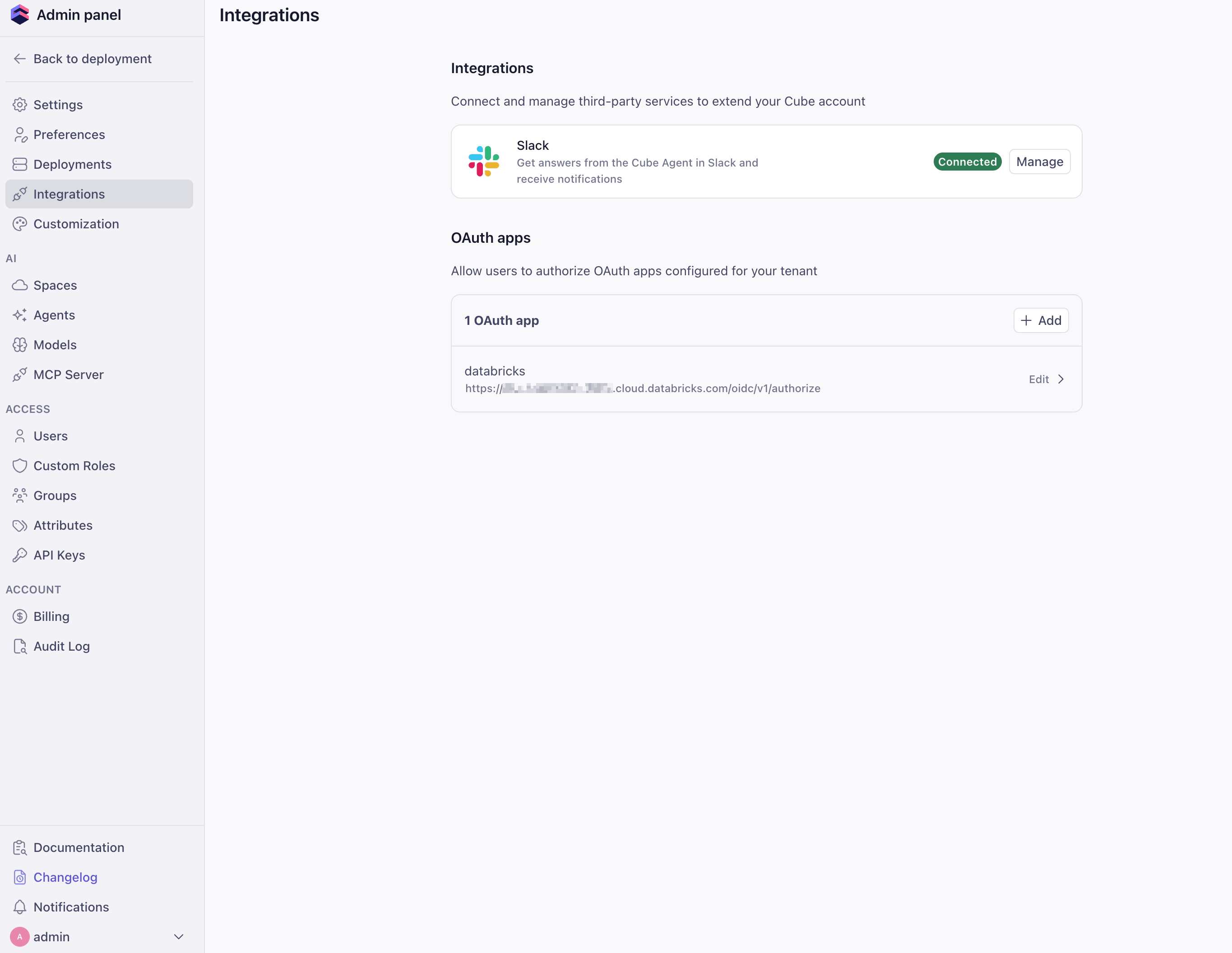
2
Fill out the OAuth app details
Provide the OAuth app metadata from your data source: Name,
Auth URL, Token URL, Client ID, Client Secret, and any
required Scopes. Copy the Redirect URI shown in this form and
register it with your data source’s OAuth provider, then click
Create.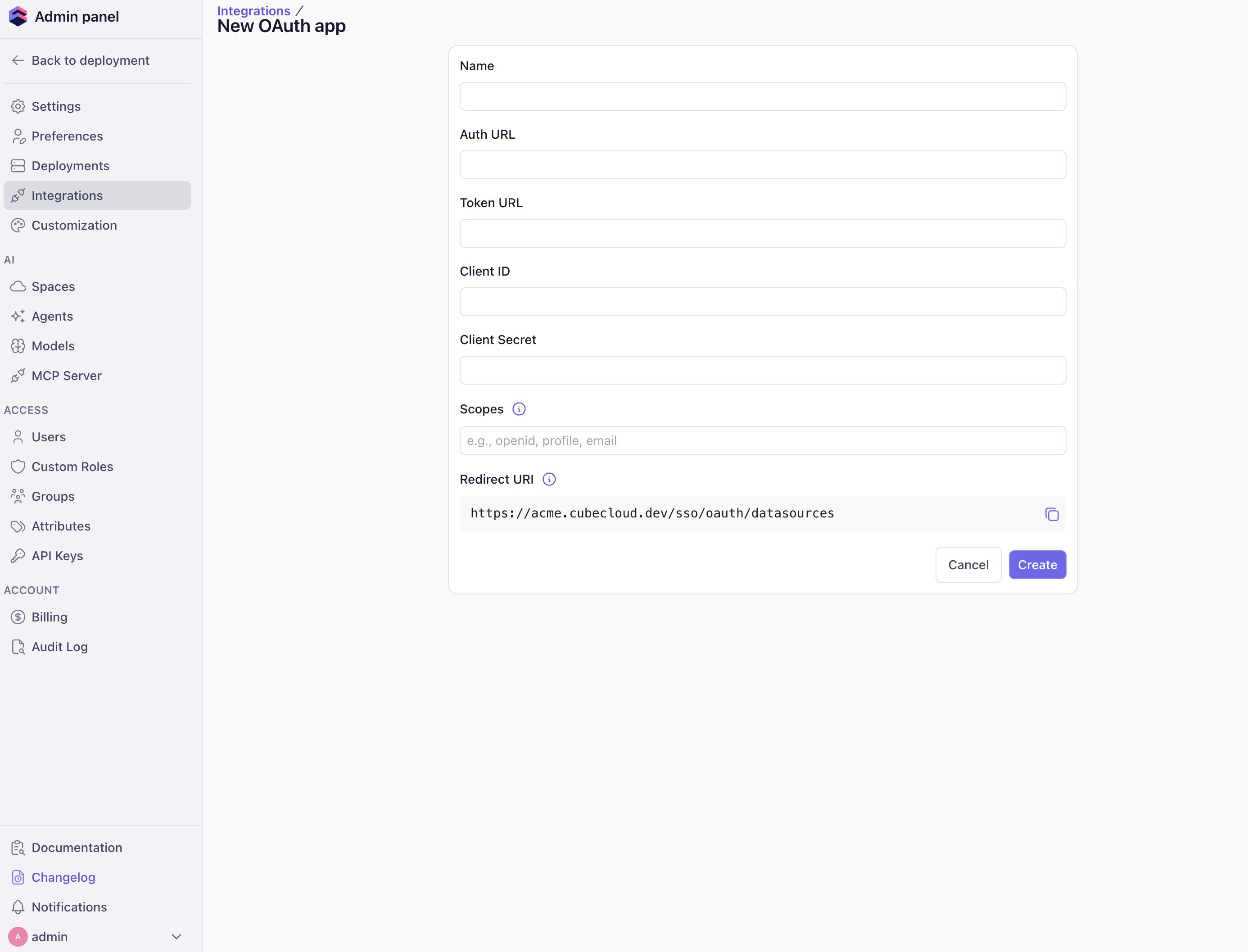
3
Authorize the app
Open the sidebar and go to Connected apps. Find your OAuth app
and click Authorize to generate an access token.You’ll need to repeat this step whenever the token expires.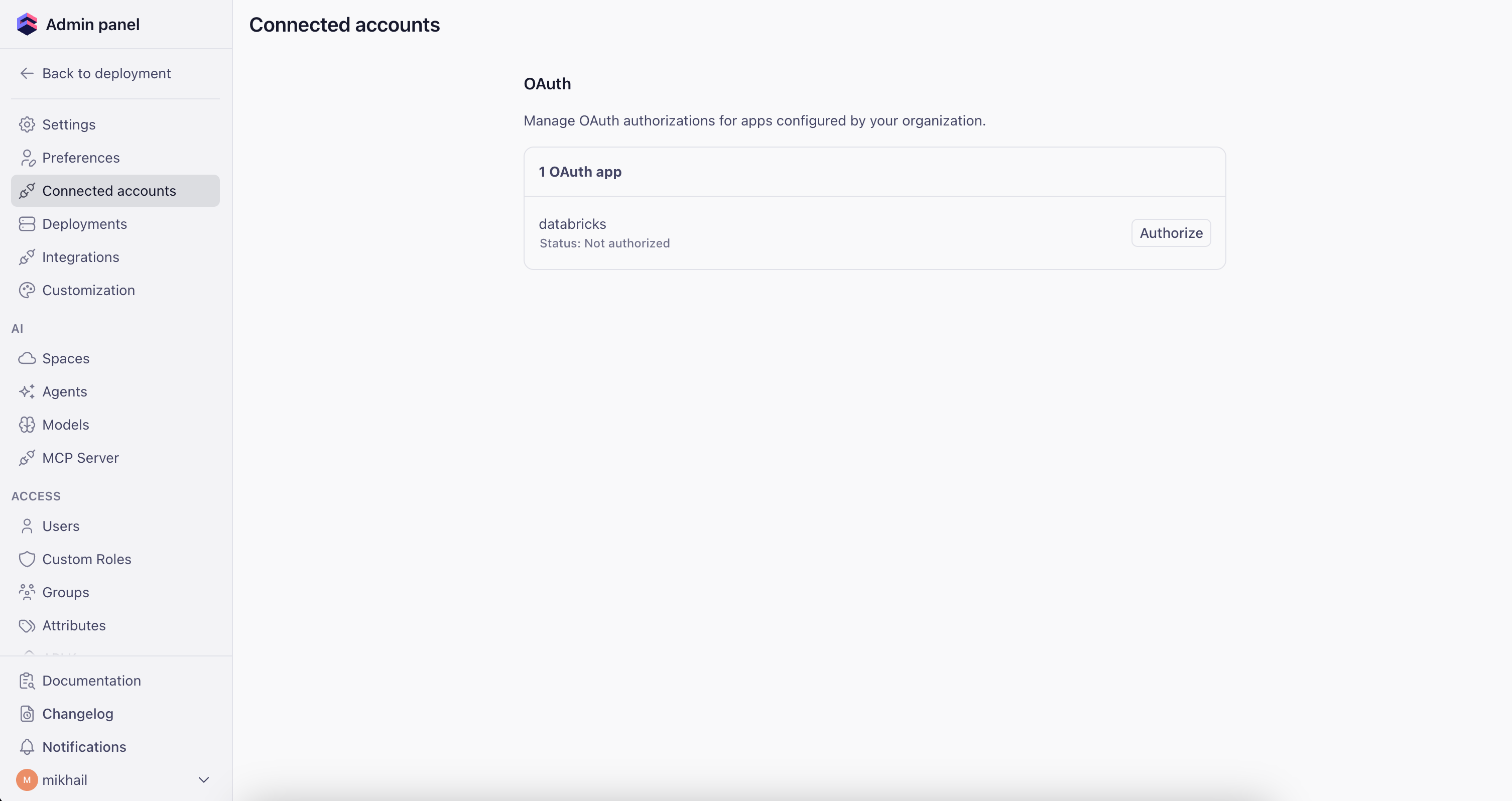
Configuration
The configuration uses two options from the configuration file reference:driver_factory— dynamically selects the authentication credential per requestcontext_to_orchestrator_id— gives each user their own query orchestrator instance (database connections, execution queues, pre-aggregation table caches)
Environment variables
Set the environment variables for your data source. The examples below show Databricks and Snowflake; adapt them to your specific setup.- Databricks
- Snowflake
Configuration file
The examples below use Databricks. To target a different data source, swapuserCredentials.databricks for the matching key (for example,
userCredentials.snowflake) and update the driver_factory return
value with the correct type and driver-specific options. See the
data sources reference for available drivers.
- Python
- JavaScript
cube.py
How it works
-
User makes a request — Cube Cloud attaches the user’s OAuth
credentials to
securityContext.cubeCloud.userCredentials.<data_source>(for example,.databricksor.snowflake). -
driver_factoryresolves the credential — If the user has a token that has not expired, it is used. Otherwise, Cube falls back to the service account credential stored in environment variables. -
Per-user orchestrator —
context_to_orchestrator_idreturns a key derived from the username, so each user gets their own database connection pool, execution queues, and pre-aggregation table cache. Without it, every user shares one cached connection and the first user’s credential is reused for everyone else’s queries. -
Rotation replaces the connection — on the next request after a
rotation, Cube compares what
driver_factorynow resolves against what the cached connection was built from. When they differ it builds a replacement and drains the old pool, so in-flight queries finish on the connection they started on. -
A stated lifetime replaces it even when nothing changed —
expiresAtis enforced on its own, so a credential that stops rotating rather than rotating to something new does not pin a dead connection. It is excluded from the comparison in step 4, so a factory may recompute the deadline on every call without that reading as a new connection.
Operational notes
-
Replacements are rate-limited. A data source is replaced at most once
every 30 seconds, and inside that window the current connection is reused
without asking
driver_factoryagain. A credential that rotates hourly is never held up by this; one that resolves to a different value on every call degrades to reuse instead of reconnecting on every query. - One orchestrator per user, not per token. The orchestrator survives rotations, so pre-aggregation caches and queues stay warm and the orchestrator count tracks your concurrent user count rather than growing with every rotation.
-
Don’t make
context_to_app_idper-user. The data model is identical for every user — only the connection differs — so a per-user app ID forces a full data-model recompile per user on every replica for no benefit. Leave it unset, or return a constant if your deployment already sets one. - Give the service account the minimum it needs to pass a connection check. If it has no access at all, liveness checks and any query that falls back to it fail with an opaque authorization error from the driver rather than something diagnosable.
-
A credential that stops refreshing is the case to plan for. Rotation is
the easy half: the configuration changes and the connection is replaced. A
refresh that starts failing upstream leaves the same credential in place
until it expires and beyond, which no comparison can distinguish from a
credential nobody has touched. Return
expiresAtand the connection is replaced on its own deadline; a factory that raises instead of falling back is given up after it has refused for long enough, so the error reaches the caller rather than 401s from a pool nobody rebuilds. -
A
driver_factorythat reaches an external dependency should catch its own failures. Sustained refusal is read as the factory declining to serve the connection: after several minutes of raising on every check, the pooled connection is released and the error surfaces to the caller. That is the intended behaviour for a credential that has genuinely stopped working, but nothing here can tell it apart from a secret store that is briefly unreachable. If yours fetches from Vault, a token endpoint or anything else that can blink, catch the error and return the last known-good credential (or the service account) rather than letting it propagate. -
Falling back is silent. A missing or near-expired token sends the
query to the service account instead of failing, so results reflect the
service account’s permissions rather than the user’s. If that is not
acceptable for your deployment, raise an error in
driver_factoryinstead of returning the fallback credential.